01 · Capture
On site
We scan the building on site with laser or photogrammetry, depending on what the project needs. Interior, roof, and exterior captured to the level of detail your team requires.

Accurate 3D point clouds, exterior building models, and Revit-ready capture files. Drop the data into Revit, AutoCAD, or Civil 3D, and start designing from what is actually there.
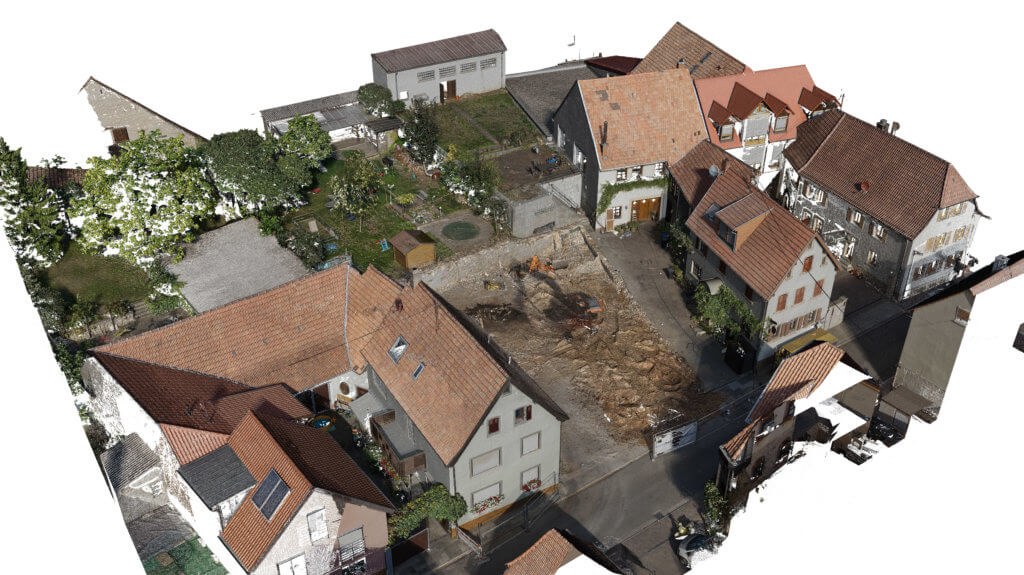
Annotated point-cloud views with extracted measurements, delivered alongside the raw cloud files. Click any view to open it full size.
How a 3D scan project moves from the first site visit to a file your design team can open and work on.
We scan the building on site with laser or photogrammetry, depending on what the project needs. Interior, roof, and exterior captured to the level of detail your team requires.
The capture is processed in-house into the formats your software opens directly. Verified against control points before it ships.
You receive Revit-ready point-cloud files alongside open-format clouds, plus extracted orthos, plans, and elevations. Open and start designing.
Drop the cloud straight into the design tool your team uses. No painful conversion step. Open formats for everything else.
Every project ships with a control summary so your team knows exactly what tolerance to design within.
The case for skipping the "verify on site after the design is half done" step.
Your Revit walls snap to actual measurements, not someone's recollection. Existing services, beams, and bulkheads show up where they really are.
Conflicts with existing structure, ceiling heights, slope, or clearances are visible from the office. Fewer surprises on day one of construction.
A scanned site goes home with you. Need a measurement you forgot? Open the cloud. No need to book another visit.
Scope is built around the decisions your team needs to make next. The list below is the most common deliverable mix for an exterior + key interior scan of a mid-sized commercial building. Heavier or lighter packages on request.
Our 3D site models capture visible, measurable conditions. Where legal boundaries, official setbacks, or grading information are required, an Ontario Land Surveyor's plan or an engineer's drawing should be used.
Send us the building address, scope, and which software your team uses. We'll come back with scope and pricing.