CAD floor plans
DWG plans with wall layout, room names, dimensions, openings, and key existing elements.

Measured drawing packages for existing residential, commercial, industrial, and tenant spaces. Captured on site, verified against scan data, and delivered in DWG, PDF, or Revit/BIM to your office standard.
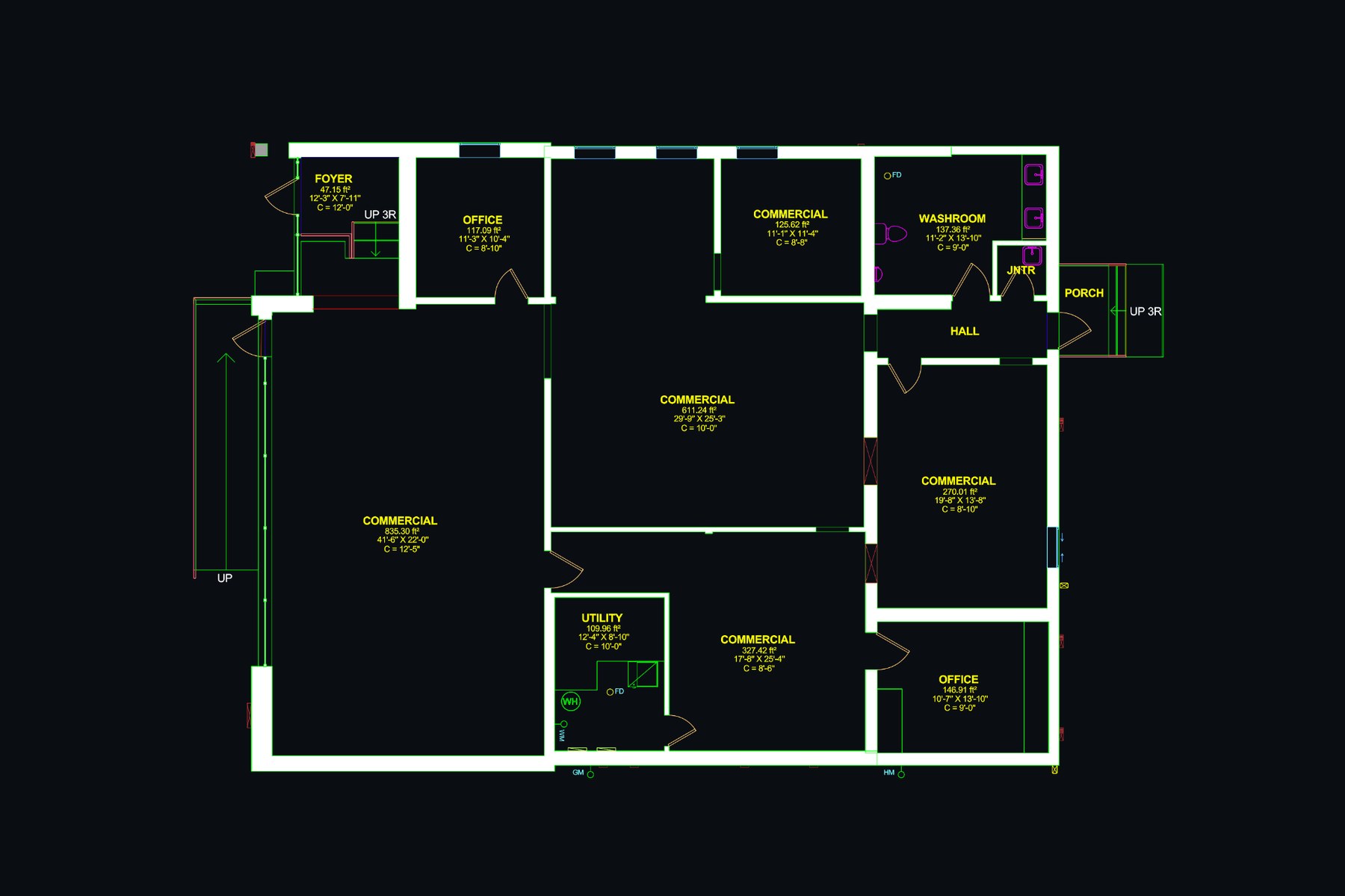
When legacy drawings are outdated, missing, or wrong, the right starting point is a measured base set. We produce it from on-site capture, verify it against photo and point-cloud reference, and deliver it in the layer and titleblock standard your team uses: DWG, PDF, or a Revit/BIM model.
DWG plans with wall layout, room names, dimensions, openings, and key existing elements.
Plotted sheets for printing, consultant coordination, and project records.
Geometry checked against a high-density 3D scan so the drawing matches reality.
Bulkheads, ceiling heights, lighting positions, and visible ceiling elements.
Front, rear, and side elevations for façade review, additions, and permit coordination.
Roof edges, primary slopes, and visible features included when scope requires them.
Drawings are set up in AutoCAD to your layer, titleblock, and plotting standard, and issued as editable DWG plus plotted PDF, ready to hand off without reformatting.
Need a parametric model? The same measured base is delivered as a Revit/BIM model: walls, openings, levels, and grids modelled to existing conditions, with coordinated views and schedules. Other formats (BricsCAD) on request.
Drag the slider to compare the wireframe drawing with the rendered 3D model produced from the same scan.
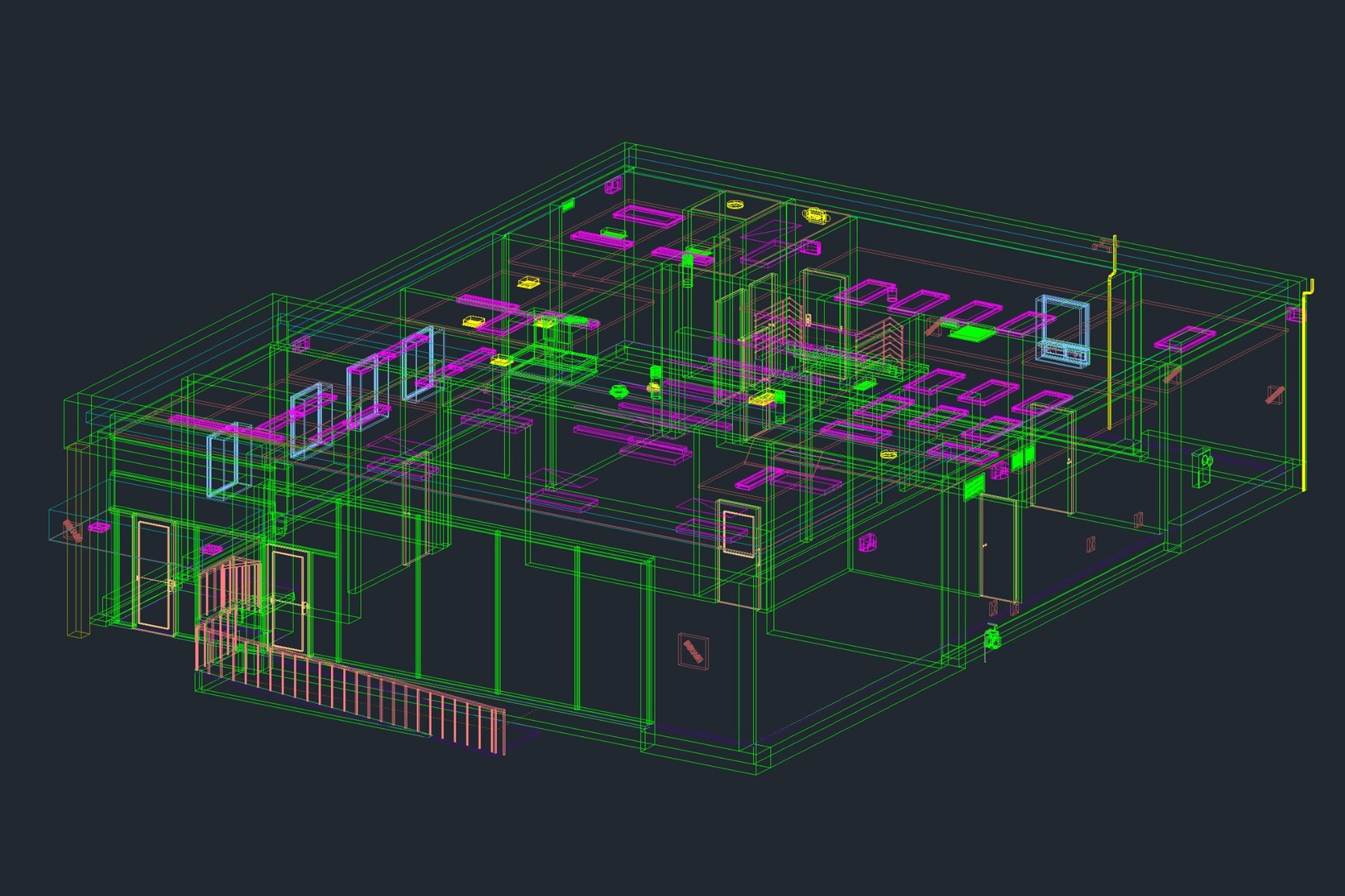
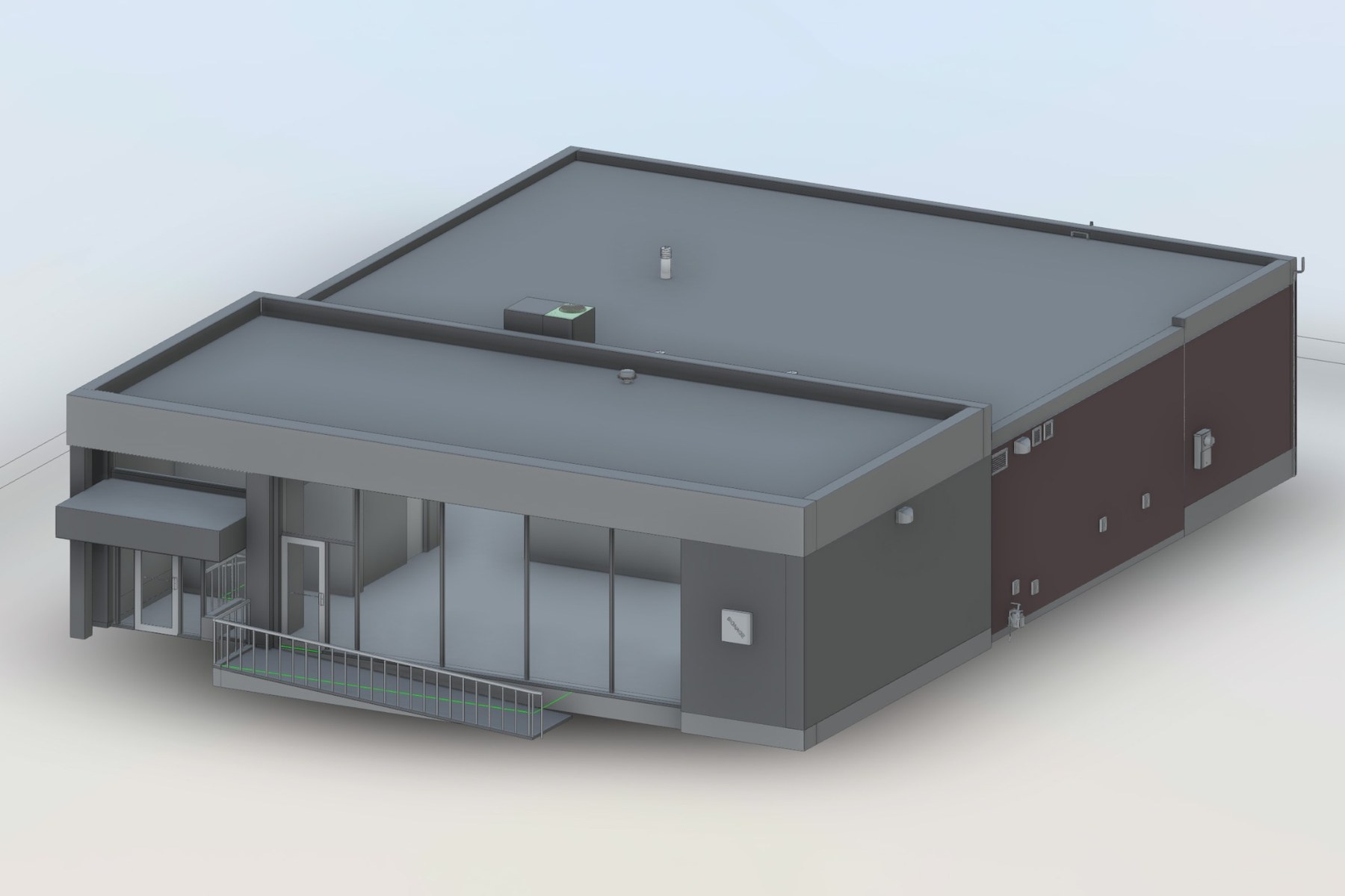
When you take delivery as a Revit/BIM model, it is built on the same measured base and includes:
Walls, slabs, roofs, levels, and grids modelled to match measured conditions.
Doors, windows, demising walls, and visible interior partitions placed on host elements.
Coordinated plan, elevation, and section views set up on titleblocks for issue.
Door, window, room, and area schedules generated directly from the model.
3D views, callouts, and section markers set up to support consultant coordination.
Optional point cloud bundled with the model so you can verify any measurement inside Revit.
Send us the project details: address, scope, drawings you already have, and the deliverables you need.